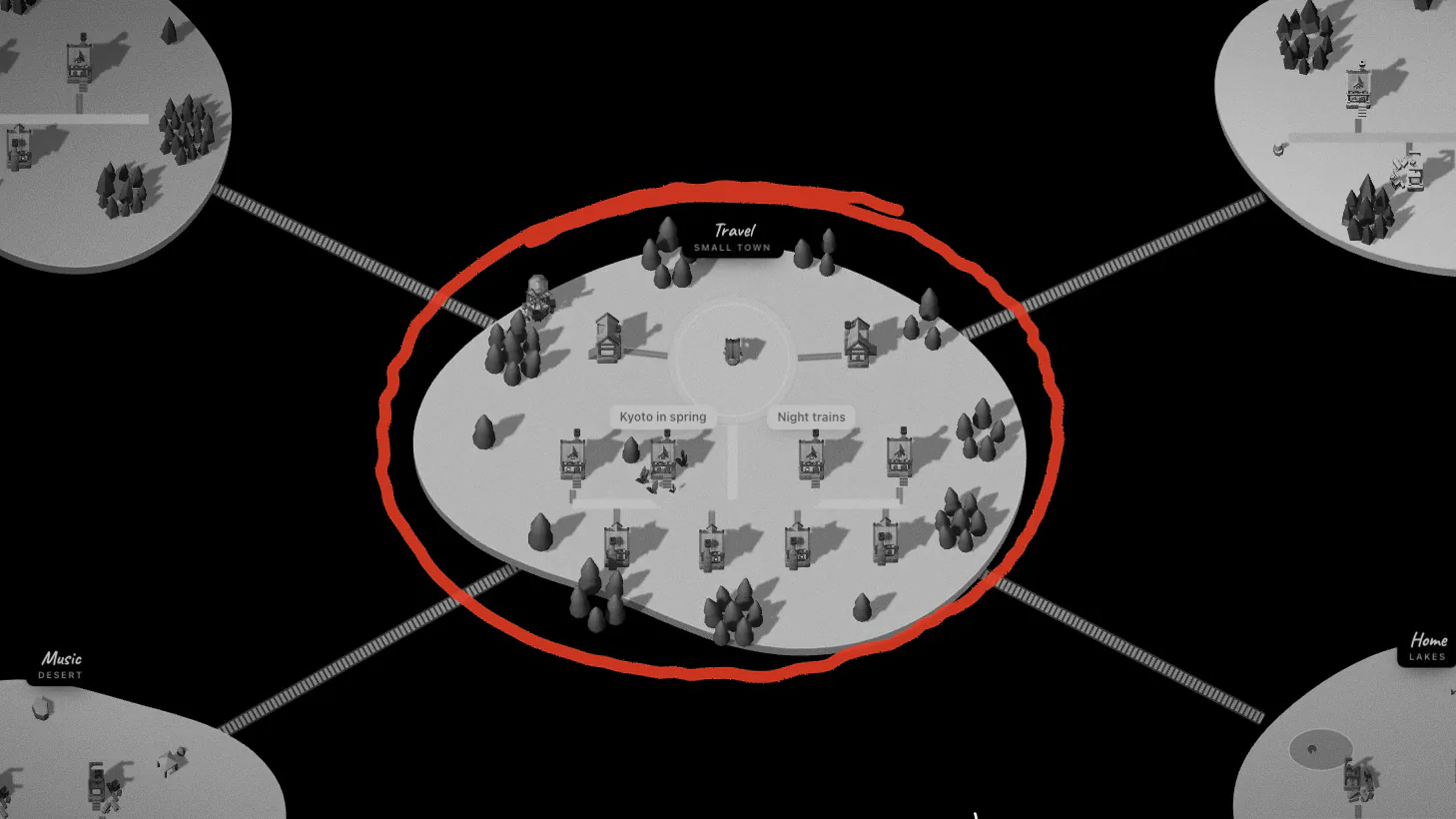
A big set of notes needs a geography. In Aloha that geography is made of places: each one a land round its own square, with a portal in the middle. This guide explains where places come from, how they grow, and how you get from one to another. For the whole picture, see How it works.
Where places come from
- In an Obsidian vault, every top-level folder is a place, and notes in the vault’s root live in the Field, the land outside every folder. Subfolders fold into their top-level place. See Aloha for Obsidian.
- With Notion, every top-level page that has pages inside it is a place, and so is every database. See Aloha for Notion.
- Anywhere, you can make places of your own: in build mode choose Place, or hold the ground and choose Place.
Each land has its ground: meadow, forest, mountains, desert, snow or lakes. Between lands lies water, and bridges cross it: planks for a new place, a proper bridge once it has four notes, a grand one at fifteen.
How a place grows
Notes gather round the square. Up to three notes is a hamlet; four make a village, eleven a small town, twenty-six a town. Each step dresses the square a little more — lanterns, benches, flags on the gate — and a toast tells you when a place has grown.
Stand on the square to see how many notes, roads and residents the place has, and how many notes are left to the next step.
Notes that haven’t been opened for a long while go quiet: after a month a house fades, and after three weeks without a visit a note is also listed by a gate near the portal, so the old ones are easy to find in one go.
Travelling by portal
Walk onto the portal in the middle of a square and the walker offers to jump in (Space on a computer). A list of places opens; pick one, and you come out on that place’s square. There are five kinds of portal — each place gets its own, with its own way of taking you in.
Other ways to travel:
- M shows the whole map: every land at once. Click or tap a place or a note to fly there.
- / Find takes you straight to any note or place by name.
- Walk. The bridges are there for a reason.
Moving notes between places
Hold a house and choose Take along, travel to another place, and put it down there. In an Obsidian vault the file moves into that folder. With Notion, moving a house changes only Aloha’s map; the page stays where it is in Notion.